
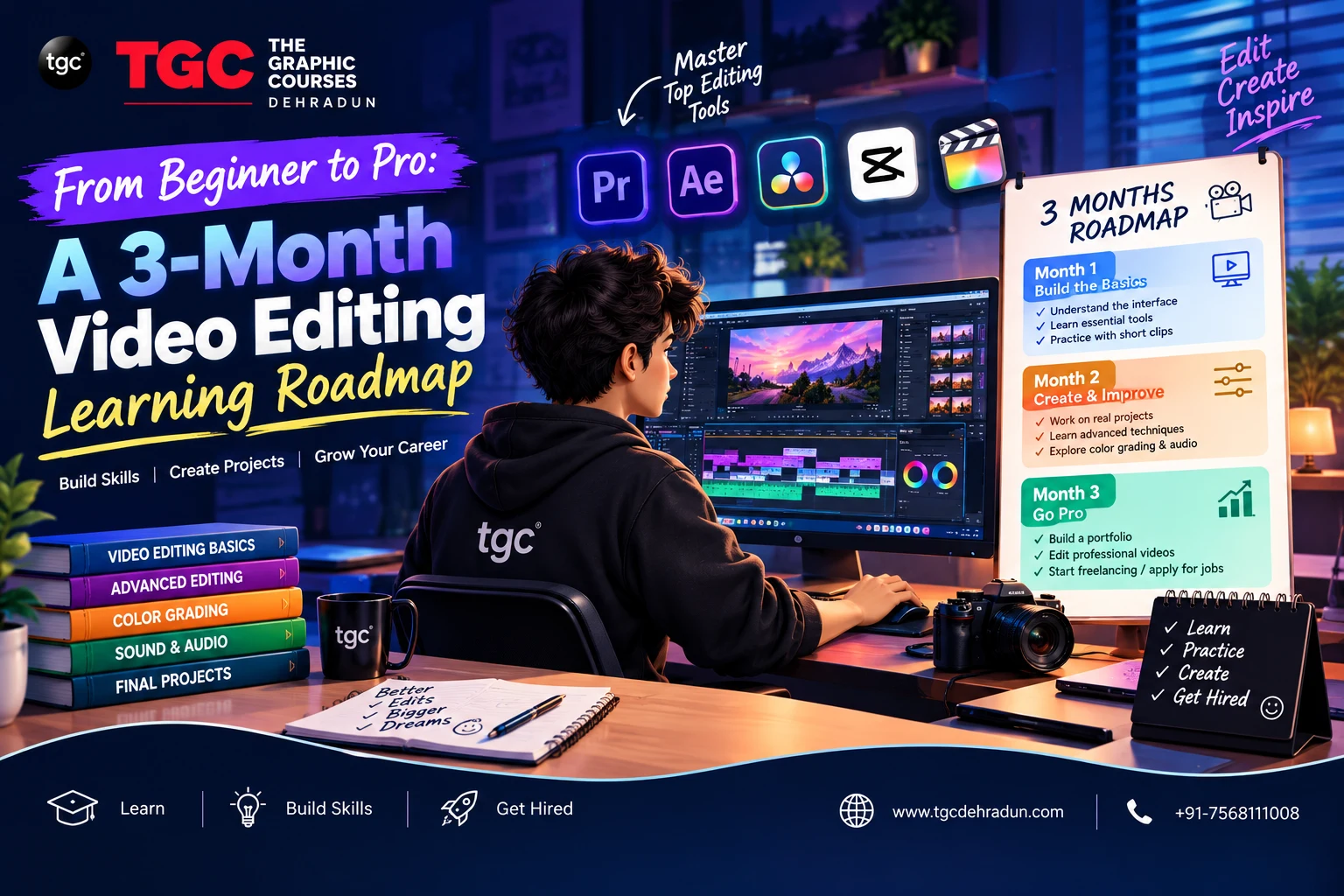
“How long does it actually take to learn video editing?” is one of the most common questions beginners ask — and the honest answer is: it depends entirely on how you structure your learning. Randomly watching YouTube tutorials for months can leave you with scattered skills and no real portfolio. A focused, structured roadmap, on the other hand, can take a complete beginner to a genuinely job-ready editor in about three months.
This guide lays out exactly that roadmap — month by month, skill by skill — so you know precisely what to focus on each week instead of guessing your way through tutorials.
Before You Start: What You’ll Need
- A computer that can handle video editing software (check your chosen software’s minimum system requirements)
- One NLE (Non-Linear Editing) software to focus on — Adobe Premiere Pro is the most widely used industry standard, though DaVinci Resolve and Final Cut Pro are strong alternatives
- A small library of practice footage — you can use free stock footage sites or record your own clips on a phone
- A dedicated 1–2 hours daily for consistent, focused practice
Trying to learn multiple editing software platforms at once is one of the most common beginner mistakes. Pick one, master it, and only branch out once you’re confident.
Month 1: Building the Foundation
The first month is about understanding the software interface and mastering the core mechanics of editing — not creativity yet, just fundamentals.
| Week | Focus Area | Key Skills to Practice |
|---|---|---|
| Week 1 | Software interface & basic navigation | Importing media, organizing bins/folders, understanding the timeline, basic playback controls |
| Week 2 | Core editing techniques | Cutting, trimming, splitting clips, basic transitions (cuts, fades), sequence settings |
| Week 3 | Audio basics | Syncing audio and video, basic audio leveling, adding background music, removing noise |
| Week 4 | Simple text & titles | Adding lower thirds, basic title cards, simple text animations |
Milestone for Month 1: Edit a simple 2–3 minute video from raw footage — trimmed, sequenced, with basic audio and titles — even if it’s rough. The goal here is fluency with the tools, not polish.
Month 2: Developing Craft and Style
Once the mechanics feel natural, month two shifts toward pacing, visual polish, and storytelling — the skills that separate an amateur cut from a professional one.
| Week | Focus Area | Key Skills to Practice |
|---|---|---|
| Week 5 | Pacing & rhythm | Cutting to music beats, understanding scene timing, building tension or energy through edit pace |
| Week 6 | Color correction basics | Exposure and white balance correction, basic color matching across shots |
| Week 7 | Color grading | Creating a consistent visual “look,” using LUTs, understanding mood through color |
| Week 8 | Multi-cam & advanced transitions | Syncing multiple camera angles, more advanced transition techniques, match cuts |
Milestone for Month 2: Edit a short project (a mock ad, a short vlog, or a music-driven montage) with intentional pacing and a consistent color grade — something you’d be comfortable showing a potential client or employer as an early portfolio piece.
Month 3: Specialization and Portfolio Building
The final month is where you start specializing based on your interests, and — most importantly — build the portfolio pieces that will actually get you hired or hired as a freelancer.
| Week | Focus Area | Key Skills to Practice |
|---|---|---|
| Week 9 | Motion graphics basics | Simple animated titles, basic keyframing, integrating lower thirds and callouts smoothly |
| Week 10 | Advanced audio & sound design | Layering sound effects, mixing dialogue/music/effects, achieving broadcast-quality audio |
| Week 11 | Format-specific editing | Reformatting for social platforms (vertical, square), understanding platform-specific pacing (Reels vs. YouTube vs. long-form) |
| Week 12 | Portfolio project & review | Producing one polished, complete project that showcases everything learned — pacing, color, audio, motion graphics |
Milestone for Month 3: A complete, polished portfolio piece — ideally 1–3 minutes long — that demonstrates pacing, color grading, sound design, and clean motion graphics. This is the piece you lead with when applying for jobs or freelance work.
Skills to Layer In Throughout (Not Just One Month)
Some skills aren’t confined to a single stage — they should be built continuously across all three months:
- AI-assisted editing tools — automatic transcription, scene detection, and AI-powered rough cuts increasingly speed up real-world editing workflows, and getting comfortable with them early is a genuine advantage
- Organizational habits — consistent file naming, project organization, and backup habits that professional editors rely on daily
- Watching and deconstructing professional edits — actively analyzing why a scene in a film, ad, or YouTube video works, rather than just passively watching
- Feedback loops — sharing your work regularly (with mentors, peers, or online communities) and applying critique, rather than editing in isolation
Common Mistakes That Slow Down Beginners
- Jumping between multiple software platforms before mastering one — this fragments learning and slows real progress
- Skipping audio fundamentals — many beginners over-focus on visuals and color while ignoring audio, even though poor audio is one of the fastest ways to make a video feel unprofessional
- Never finishing projects — starting many projects but abandoning them before completion means never building an actual portfolio
- Avoiding feedback — editing entirely alone, without outside critique, often means repeating the same mistakes for months without realizing it
Why Structured Training Accelerates This Timeline
This 3-month roadmap works well for disciplined self-learners, but the biggest challenge most beginners face isn’t motivation — it’s not knowing which skills actually matter to employers, and lacking real feedback on their work. Self-taught editors often spend months longer than necessary simply because they don’t know what to prioritize or where their technique is falling short.
This is exactly why structured, mentor-guided training compresses the learning curve so effectively. TGC Dehradun’s Video Editing Course follows a similar hands-on progression — covering Adobe Premiere Pro, DaVinci Resolve, color grading, audio design, and motion graphics — with real project feedback from industry-experienced trainers, helping students build a genuinely job-ready portfolio in a fraction of the time it typically takes to learn alone.
For students who want to specialize further in a specific software platform, TGC Dehradun also offers a focused Premiere Pro course and an FCP (Final Cut Pro) course, both diving deeper into platform-specific workflows once the fundamentals are in place.
Final Thoughts
Going from complete beginner to a genuinely capable video editor in three months is absolutely achievable — but only with a structured, milestone-driven approach rather than scattered, random tutorial-watching. Focus each month on a clear set of skills, build real (even imperfect) projects along the way, and prioritize finishing over perfecting. By the end of month three, you should have not just new skills, but an actual portfolio piece that proves you can do the job.
Ready to fast-track your video editing skills with expert guidance? Explore TGC Dehradun’s Video Editing course and build a job-ready portfolio with hands-on, mentor-led training.